
Factory Reset Protection (FRP) is an additional form of security on modern Android smartphones like Honor X6 to ensure your phone does not fall into the wrong hands. However, it is also possible that you have forgotten Android pattern lock yourself and cannot access your own device due to the Honor X6 FRP.

Therefore, in this article, we will discuss the effective methods you can use for Honor X6 FRP bypass .
Part 1: Best Huawei Honor X6 FRP Unlock Tool – Safe&Simple 
Part 2: Honor X6 FRP Bypass With PC
Part 3: Best Honor X6 FRP Bypass Unlock Tools With/Without PC
Part 1: Best Huawei Honor X6 FRP Unlock Tool – Safe&Simple
If you’re locked out of your Huawei Honor X6 due to FRP, finding a reliable solution is essential. Thankfully, Tenorshare 4uKey for Android offers a safe and straightforward way to bypass FRP lock. It stands out for its compatibility with a wide range of Android devices, including Huawei Honor X6.
Whether you’re dealing with a forgotten Google account or an FRP-locked device, this tool makes the process hassle-free. It supports unlocking without requiring complex steps or advanced technical skills, saving you time and effort. With its user-friendly interface, you can bypass FRP in just minutes.
Advantages of Using 4uKey for Honor X6 FRP Unlock Tool

- Bypass FRP locks: Remove Google account verification quickly and safely.
- Wide device support: Compatible with Huawei, Samsung, Xiaomi, and more.
- Fast unlocking: Unlock FRP-locked devices in minutes.
- No technical skills needed: Simple steps for beginners to follow easily.
- Works without root: Perform the unlock process without rooting your phone.
How to Bypass Huawei Huawei Honor X6 FRP without Google Account
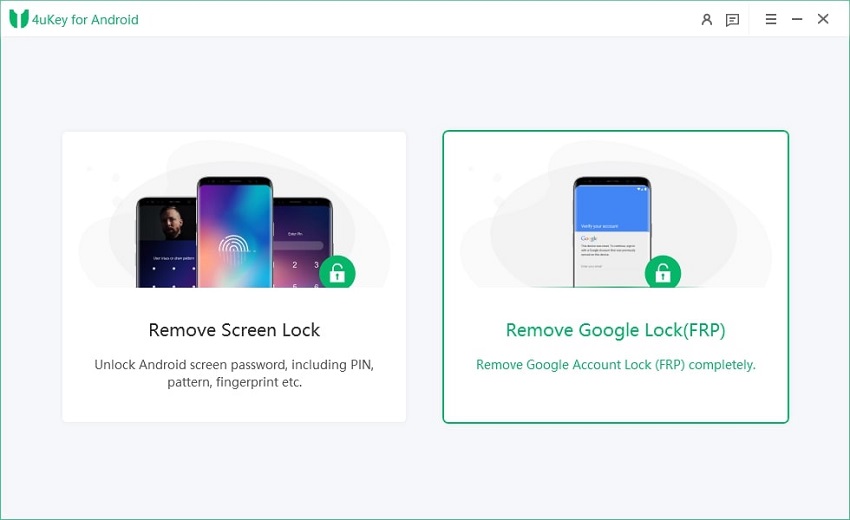
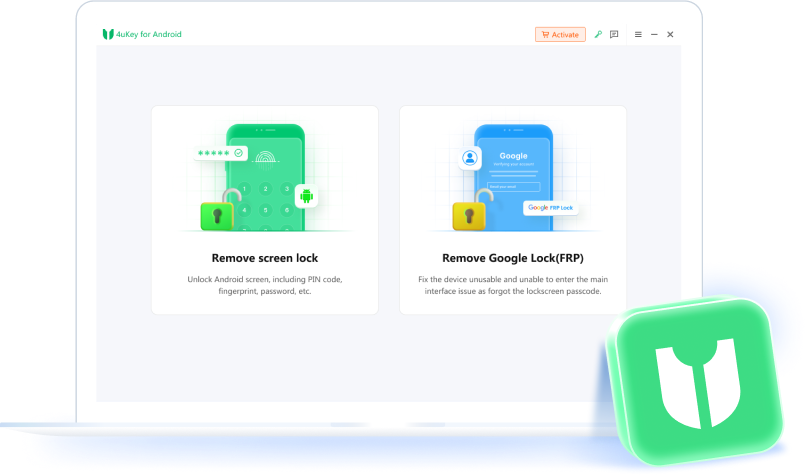
- Download, install, and run 4uKey for Android on your PC. Then connect your Huawei phone to your PC and proceed with “ Remove Google Lock (FRP) ”.
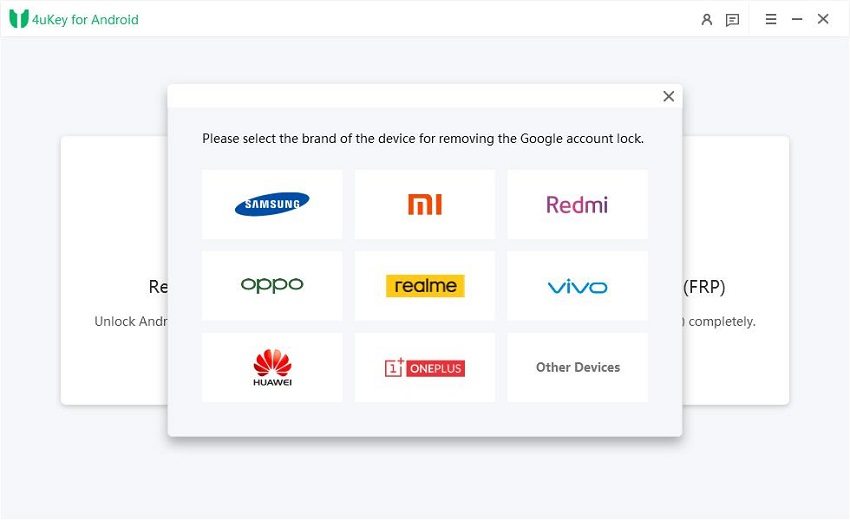
- 4uKey for Android will automatically detect your device brand. However, if it doesn’t, then manually select Huawei Honor X6 from the list shown.
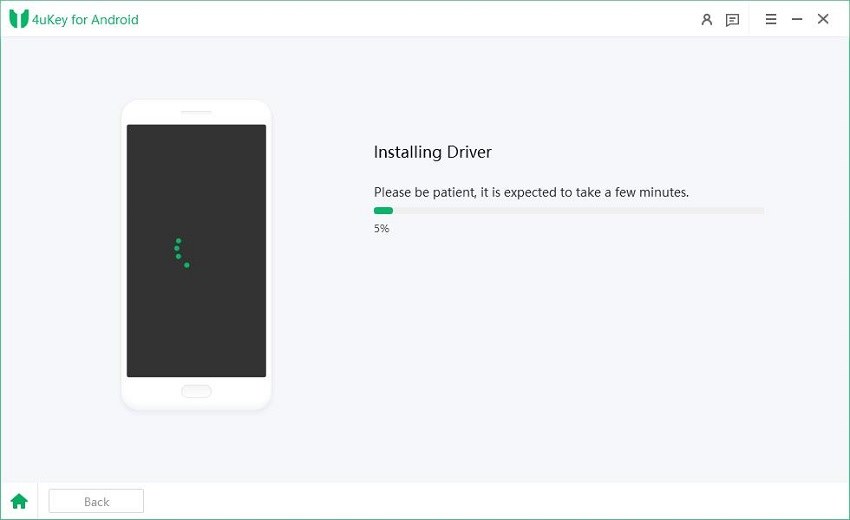
- 4uKey for Android will now begin installing the driver. Wait for a few minutes now.
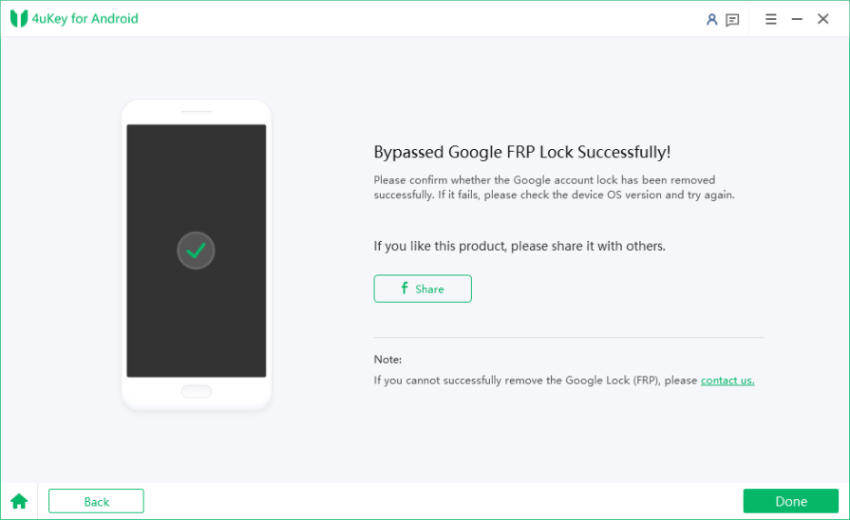
- Wait for 4uKey for Android to bypass Google FRP lock on Honor X6. Once completed, your Huawei device will reboot automatically and you can set up your Huawei phone as new.
Video Guide on How to Use Tenorshare Honor X6 FRP Unlock Tool
Part 2: Honor X6 FRP Bypass With PC
If you want to bypass Honor X6 FRP with the FRP bypass tool, you have to follow these steps:
- Turn on your mobile phone and connect to the internet.
- Don’t copy the apps and data when you are trying to bypass FRP.
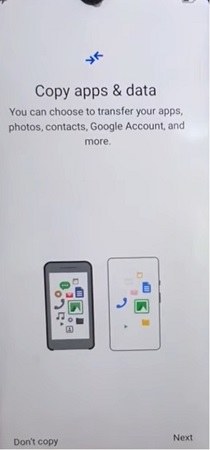
- When the device asks for your lock screen password, use the option of ‘Use My Google Account Instead.’
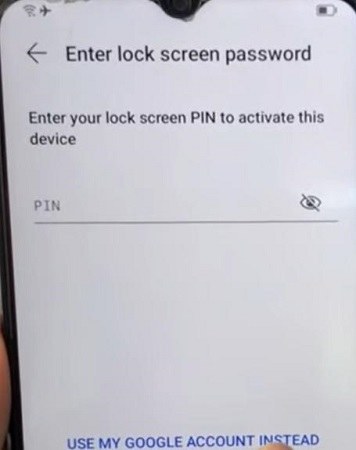
- Turn off your mobile phone when it asks for the Google Account.
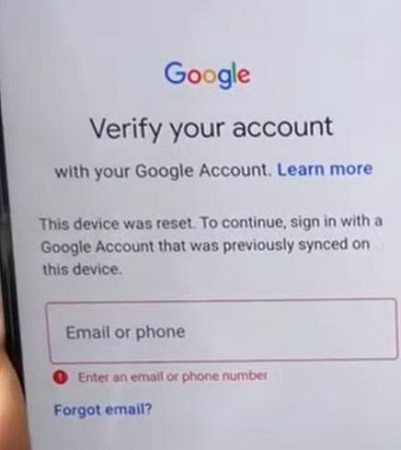
- Press and hold the power button and volume up button at the same time to boot your Honor X6 in Recovery Mode .
- Select the Wipe Data > Factory Reset option.
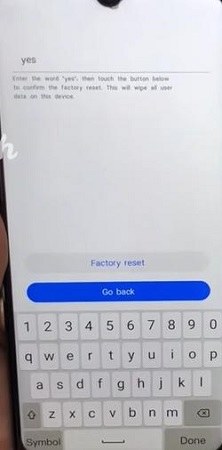
- Once the reset is complete, boot your phone in Recovery mode again and select Update Mode.
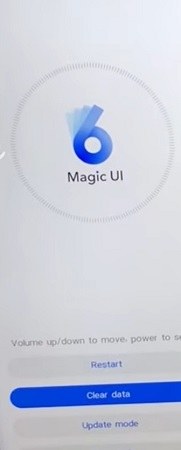
- Download the Huawei FRP Tool on your computer.
- Press and hold the power and volume down button to turn off your device. Connect it to your computer.
- Open the Huawei FRP tool, paste the FRP key 4YHZE951944G4LUK into the tool, and choose the FRP unlock option.

- Turn on your Honor X6 and set up your device.
After using the Honor X6 FRP bypass unlock tool, you should have no issue in easily setting up your smartphone without facing the FRP lock issue.
Part 3: Best Honor X6 FRP Bypass Unlock Tools With/Without PC
Other than the traditional Honor X6 FRP unlock tool, there are multiple tools that you can use to bypass FRP on Honor X6 with/without PC. These tools are:
- Huawei FRP Tool [HFT]
- Huawei FRP Code Fastboot Reader
- Huawei FRP and ID Bypass Tool
- D&G Unlocker Tool
- DC – Unlocker 2 Client
- Huawei FRP Eraser
To learn how to utilize these tools, click the links for more information.

Also read:
Huawei FRP Bypass: Full Guide to Unlock Your Device with Ease
Wrapping Up
Bypassing Honor X6 FRP on your Huawei Honor X6 doesn’t have to be a complicated process. Whether you’re locked out due to forgotten Google credentials or need a quick solution for an FRP lock, having the right tool is crucial. From advanced features to ease of use, Tenorshare 4uKey for Android stands out as the best Honor X6 FRP unlock tool for unlocking your device safely and efficiently.
downloads : 8,673,445
4uKey for Android – No.1 Android Unlocker & Samsung FRP Tool
rated on Trustpilot >

- Remove Android password, pattern, PIN, and fingerprint lock in one click
- Bypass FRP for Samsung, Xiaomi, Redmi, Vivo, OPPO, Huawei, etc. (Android 6-14)
- Compatible with 6000+ Android phones and tablets
- The unlocking success rate is up to 99%, in 3 minutes


Related articles
- Haafedk GSM Tool: Review & Latest Version [Free Download]
- The Ultimate Guide for LG Bypass Google Account without Computer 2025
- Best Tools for Android 15 FRP Bypass in Minutes
- Quickest Way for Samsung S22/S23 FRP Bypass [Android 12/13/14]
- Samsung A53 FRP Bypass for Android 13/12/14/15 – Step-by-Step

I just like the helpful information you provide in your articles
naturally like your web site however you need to take a look at the spelling on several of your posts. A number of them are rife with spelling problems and I find it very bothersome to tell the truth on the other hand I will surely come again again.