
The MTK Client Tool is a versatile, free tool for flashing and managing MTK Android phones. It enables users to bypass or remove user locks, FRP, perform factory resets, and unlock or relock the bootloader. Developed in C#, this tool offers a fast, easy-to-use interface without any activation fees.
Whether you need to erase FRP from Samsung or perform a safe data format, MTK Client Tool V5.5 free download has you covered. Read our detailed review to explore its features and how it can simplify your device management!

MTK Client Tool Alternative – Bypass MTK FRP in 5 Minutes
The most easiest and 100% working Samsung MTK FRP Tool for everyone’s use. It can bypass FRP for Samsung, Xiaomi, Redmi, Vivo, OPPO, Realme, Oneplus, Huawei and Motorola without Google account.

Part 2. How to Download and Install MTK Client for Linux/Windows
Part 3. How to Use MTK Client Tool for Unlock Bootloader/FRP Bypass
Part 4. MTK Client Tool Alternative – Best MTK Bypass Tool for Samsung 
Part 1. What is MTKClient
MTKClient is a powerful exploit used to boot MediaTek (MTK) phones into BROM mode, which is similar to EDL mode on Qualcomm devices. BROM (Boot Read-Only Memory) mode allows deep-level access to the phone’s system, enabling tasks like flashing firmware, bypassing security locks, and unbricking devices.
It’s an essential tool for users who need more control over their MTK phones for troubleshooting, repairs, or modifications. In this mode, you can perform actions that aren’t typically possible through regular recovery or fastboot modes.
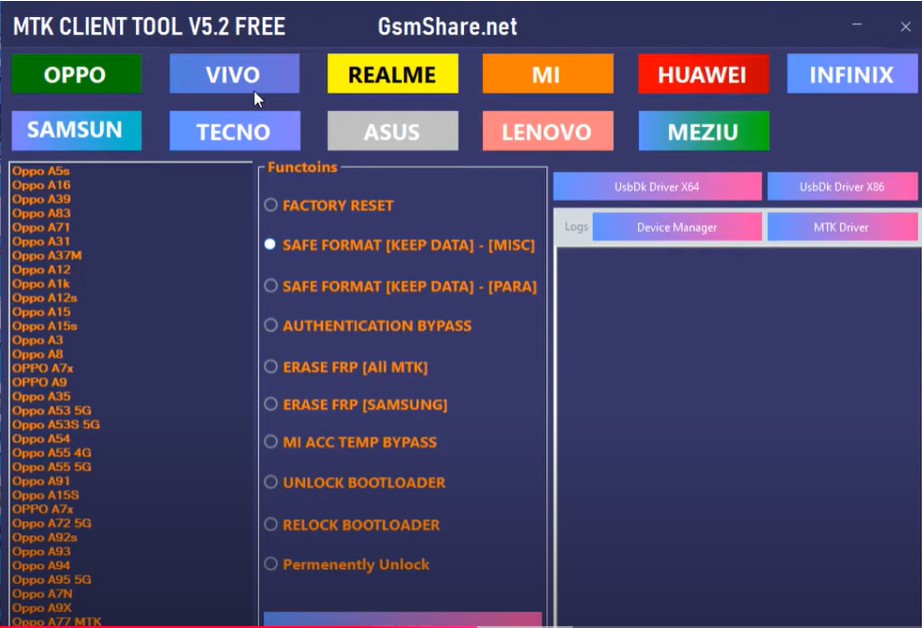
Key Features of MTK Client Tool
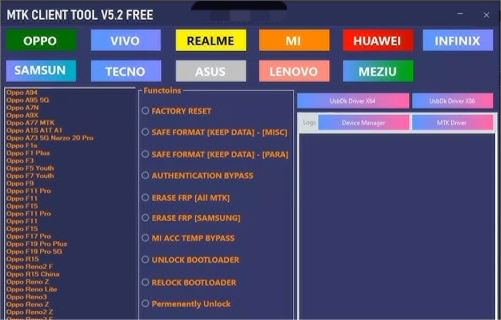
The MTK Client Tool offers a range of powerful features for managing and unlocking MTK-based smartphones. Below are its key functionalities:
- Factory Reset : Easily bypass AUTH protection on all MTK-based phones with just a single click, making factory resetting simple and efficient.
- Safe Format (PARA) : Safely format MTK devices without risk, ensuring smooth performance while protecting important data.
- Erase FRP : Remove FRP (Factory Reset Protection) from MTK smartphones. While this feature works on most phones, new updates may be needed for unsupported devices.
- Erase FRP (Samsung) : Erase FRP locks on Samsung MTK smartphones in one click, eliminating the need for paid services or complex bypass tricks.
- MI Account TEMP Bypass: T emporarily bypass Mi Account lock on Xiaomi devices. However, the lock will return once the phone is connected to the internet.
- Bootloader Unlock : Unlock the bootloader in just 5 seconds, allowing users to flash custom ROMs or custom recovery with ease.
- Bootloader Relock : Quickly relock the bootloader within 5 seconds after completing necessary modifications or customizations.
- Permanently Unlock : Permanently unlock Mi Accounts, allowing users to connect to Wi-Fi and mobile data without any issues.
Part 2. How to Download and Install MTK Client for Linux/Windows
1. For Linux
Follow these steps to know how to install MTK Client and install the MTKClient download on Linux:
- Open a terminal and update your package manager:sudo apt update && sudo apt upgrade
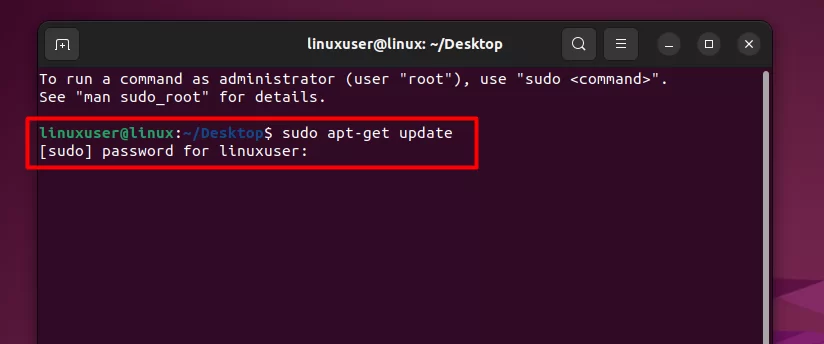
- Install required dependencies: sudo apt install python3 python3-pip git
- Clone the MTKClient tool from GitHub : git clone
- Change your directory to the newly cloned repository: cd mtkclient
- Install required Python libraries: pip3 install -r requirements.txt
- To run MTKClient: python3 mtk.py**. Connect your phone via USB and follow the on-screen instructions to begin using the tool.
This is how it mtkclient linux downloads.
2. For Windows
- Disable Windows Defender or any antivirus software to prevent installation issues.
- Download the latest MTK Client Tool from a trusted source. MTK Client Tool Download
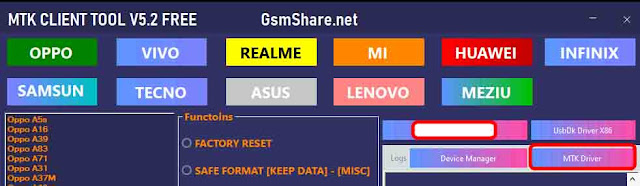
- Install the MTK USB drivers if you haven’t already. If they’re installed, skip this step.
- Extract the downloaded file and run the mtkclient.exe file.
- Plug in your MTK device and follow the tool’s instructions to flash or unlock the phone.

Related topic:
MTK Auth Bypass Tool: Review & Latest Version
Part 3. How to Use MTK Client Tool for Unlock Bootloader/FRP Bypass
Below, we will outline the detailed steps for both FRP bypass and bootloader unlocking.
1. For FRP Bypass
- Download and extract the MTKClient FRP Tool to your computer.
- Launch the tool by running MTKUnlockTool.exe.
- Save the Scatter.txt file and Format Address from the first and second row of the tool.
- In SP Flash Tool, click “Scatter-loading” and choose the scatter.txt file you saved.
- Navigate to the “Format” option, select “Manual Format Flash”, and enter the begin address and format length from FRP_Address.txt.
- Click “Start” and connect your powered-off device to the computer. The flashing process will begin automatically and reset FRP.
2. For Unlock Bootloader
- Open the MTKClient folder on your PC. Right-click the address bar at the top and copy the folder’s address.
- Open the Command Prompt. Type cd (space) and paste the copied folder address, then press Enter.
- Run the following commands to install MTKClient:python setup.py installpip3 install -r requirements.txtIf you’re using Python 3, use this instead:py -3 setup.py installpy -3 -m pip install -r requirements.txt
- To wipe the device data, run:python mtk e metadata,userdata,md_udcpy -3 mtk e metadata,userdata,md_udc
- For older MTKClient versions, run:python mtk xflash seccfg unlockpy -3 mtk xflash seccfg unlock
- Wait for the process to complete. Once done, disconnect the phone and reboot. Your bootloader is now unlocked.
Part 4. MTK Client Tool Alternative – Best MTK Bypass Tool for Samsung
The MTK Client Tool is powerful but can be challenging to use, especially for beginners. If you’re looking for a more user-friendly alternative, consider Tenorshare Samsung FRP Tool .
This tool is an excellent alternative for bypassing Google FRP on Samsung, Vivo, Xiaomi, Redmi, Huawei, and OnePlus devices. Moreover, it now supports removing FRP from Samsung MTK devices without complications.
Why Use Tenorshare Samsung FRP Tool

- 99% success rate for Factory Reset Protection (FRP) removal.
- No need to enter Google account credentials or passwords.
- You can remove FRP within just 5 minutes.
- Suitable for non-tech-savvy users.
- It also supports removing screen locks like PIN, pattern, fingerprint, and face lock.
- Works with Samsung devices running Android 15 to 6, as well as other major Android brands.
How to Use Tenorshare Samsung FRP Tool to Bypass MTK FRP
- Start the procedure by downloading and installing Tenorshare Samsung FRP Tool on your laptop. Then, connect any Android phone to your PC using a USB cable.
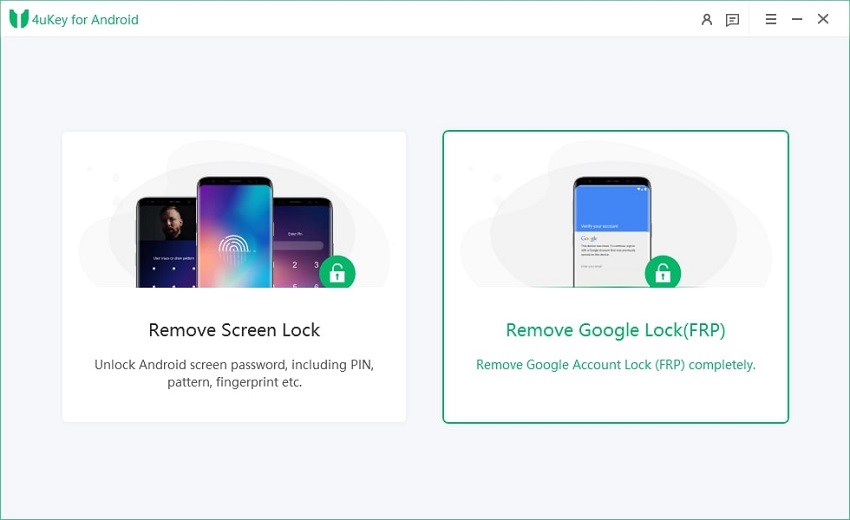
- Launch the tool and then click “Remove Google Lock (FRP)” from the available options on your screen. Select the brand and OS version of your device and enter “Start”.
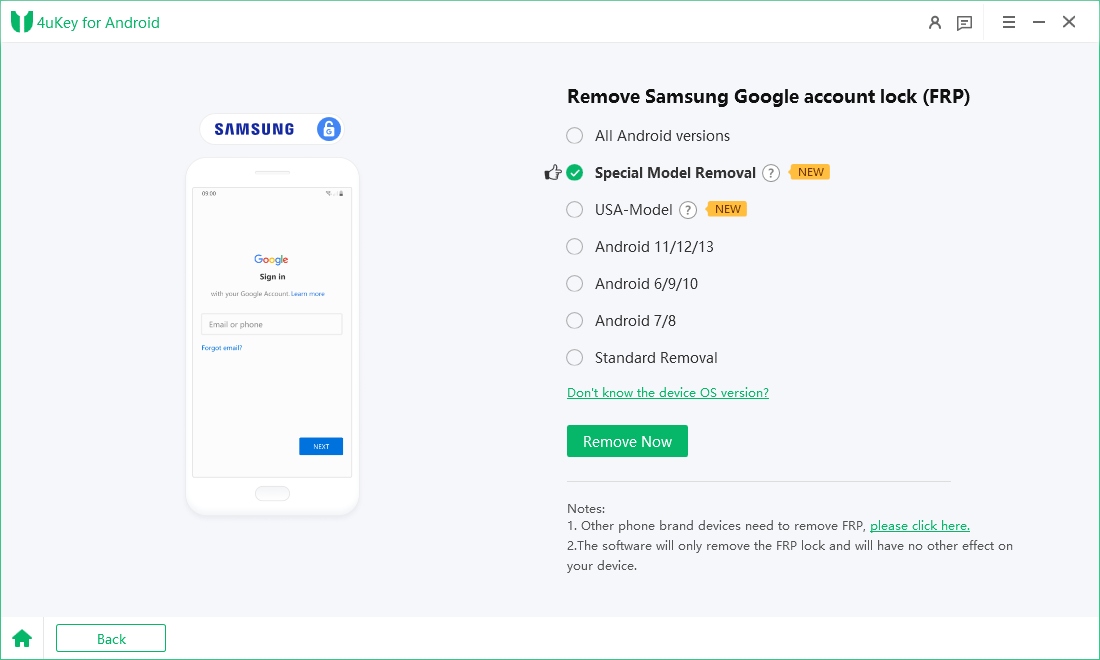
- Now, follow the on-screen instructions according to your chosen OS version. Click on Next.
- Let the Tenorshare Samsung FRP Tool start the MTK FRP lock removal process.
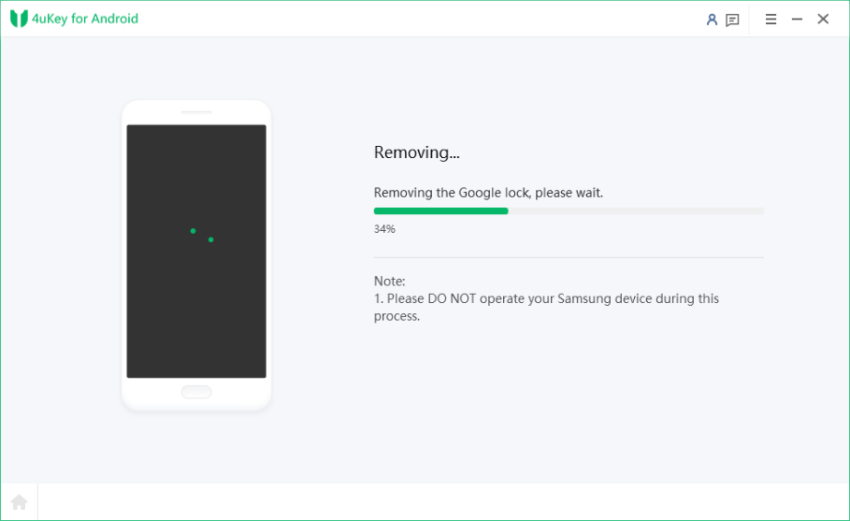
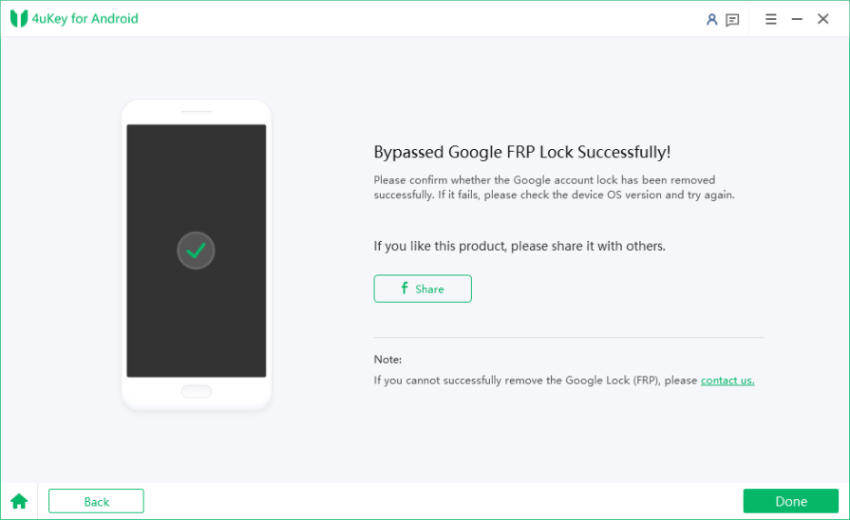
- The process will take a while to complete. Click Done to complete the process. After this, you can remove MTK FRP lock on any phones!
Conclusion:
MTK Client Tool is a powerful software that allows users to unlock various features on MTK-based devices. Its latest version offers improved performance and user-friendly options for tasks like factory resets and FRP removal.
However, if you are looking for a simpler solution, consider using Tenorshare Samsung FRP Tool . This tool provides a hassle-free way to bypass FRP locks without needing passwords or technical skills. With its high success rate and easy interface, it’s a great alternative to the MTK Client Tool latest version for anyone needing to unlock their devices quickly.
Related articles
- Haafedk GSM Tool: Review & Latest Version [Free Download]
- Honor X6 FRP Bypass: Best Honor X6 FRP Unlock Tool
- The Ultimate Guide for LG Bypass Google Account without Computer 2025
- MTK META UTILITY Tool V34 Latest Version for FRP Bypass
- MTK Droid Tool V2.5.3 Latest Version Free Download
- MTK Auth Bypass Tool V30 – Free Download & Latest Version|2025|


I truly appreciate your technique of writing a blog. I added it to my bookmark site list and will