Nero Burning ROM for Windows
- By Nero AG
- Trial version
- 26.5.1.13
Download latest version for Windows
Installed through our safe & fast downloader (more info)
Editors’ Review · October 15, 2025
Master your disc-burning tasks with Nero Burning ROM
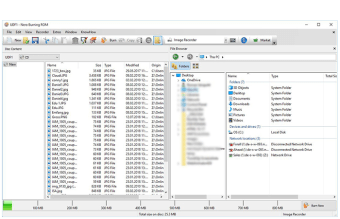
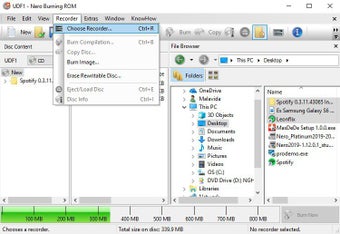
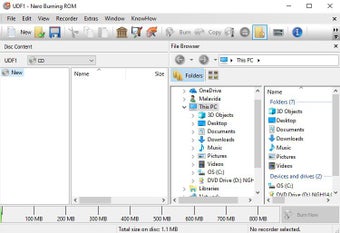
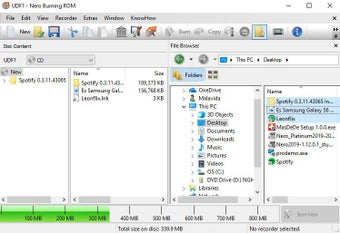
Nero Burning ROM is a disc-burning software that goes beyond basic file copying. It’s made for people who still work with CDs, DVDs, or Blu-rays, whether for backing up old files, creating audio discs, or saving videos. So, if you’re the kind of user who still values physical media, this application offers tools to make the process smooth, secure, and dependable.
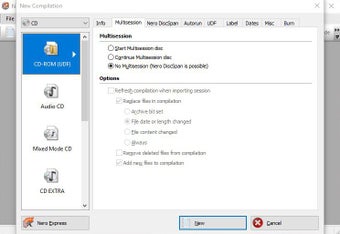
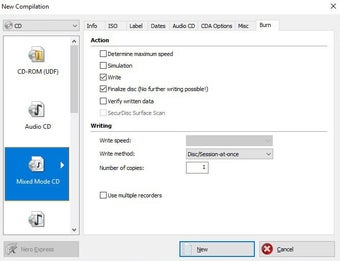
At its core, Nero Burning ROM allows you to burn, copy, and rip content to CDs, DVDs, and Blu-ray discs. It’s not the most beginner-friendly tool, but for users who want reliable burning and secure backups, this tool delivers.
One of Nero Burning ROM’s helpful features is SecurDisc technology, which adds password protection and digital signatures to discs. This ensures sensitive files remain safe, even if shared physically. It also includes adjustable data redundancy that help preserve the data even if the disc gets scratched or worn over time. It’s a reassuring option for anyone backing up important documents or sharing content that needs extra care.
What features set Nero Burning ROM apart from the rest?
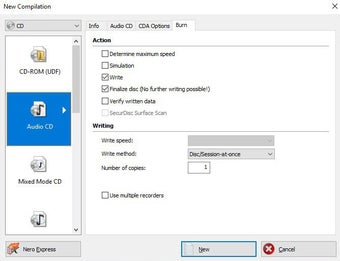
In terms of audio, this tool shines with high-quality audio ripping. It enhances the music experience by letting you rip tracks from CDs in various formats such as MP3, FLAC, and AAC. You can also add song titles, album names, and even cover art automatically through Gracenote® technology. It’s a great way to keep your digital music library neat, organized, and true to the original album experience.
While free tools like ImgBurn or CDBurnerXP can handle basic burning needs, they lack the depth and polish this application brings. Instead of just dragging files and hitting “burn,” you get features that actually make the process feel thoughtful. You can protect important data with encryption and even add album info and cover art with Gracenote®. It’s like giving your discs a personal touch.
A dependable software for disc projects
Nero Burning ROM continues to be a strong option for anyone working with optical media. From simple music compilations to encrypted data discs, it’s a solid choice for anyone who still relies on disc-based media. Moreover, you don’t need to be a tech expert to get great results, it just works, and it does what it’s made to do really well.
- Pros
- Wide file format support
- Built-in protection against disc wear and damage
- Cons
- Slight learning curve for beginners
Advertisement
Technical
TitleNero Burning ROM 26.5.1.13 for WindowsRequirements
- Windows 7
- Windows 11
- Windows 8.1
- Windows 10
- Windows 8
LanguageEnglishAvailable languages
- Arabic
- Chinese
- Czech
- Danish
- German
- Greek
- English
- Spanish
- Finnish
- French
- Italian
- Japanese
- Korean
- Dutch
- Norwegian
- Polish
- Portuguese
- Russian
- Swedish
- Turkish
LicenseTrial versionLatest updateOctober 15, 2025AuthorNero AGSHA-1
e91241f1b589104dd440bc91263180f9a39b3473
FilenameNero_Burning_ROM_V26.5.1.13.exe
Program available in other languages
- Pobierz Nero Burning ROM
- 下载 Nero Burning ROM
- Télécharger Nero Burning ROM
- Descargar Nero Burning ROM
- Nero Burning ROM herunterladen
- Scaricare Nero Burning ROM
- Nero Burning ROM をダウンロードする
Nero Burning ROM for Windows
- By Nero AG
- Trial version
- 26.5.1.13